


PAYMENTS, STORE CREDIT AND DISCOUNTS
On this page you'll find all the answers to questions about payments and store credit.
Payments
Questions about making a payment? First take a look at the frequently asked questions further down this page. Still stuck, or can't complete a payment? Then get in touch through one of the contact options at the bottom of this page. Our team is happy to help.
Store credit and discounts
Questions about using store credit or a discount code? First take a look at the section “How do I redeem store credit or a discount code?” below. Can't find the answer you're looking for there? Then check the frequently asked questions further down this page. Still not working, or is your code not behaving as expected? Feel free to get in touch with us through one of the contact options at the bottom of this page. We're happy to help.
Make sure you have a valid store credit or discount code.
Add the items you want to buy to your cart and go to checkout.
Laptop or tablet:
On the right of your screen you'll see the order summary. There you'll find a field where you can enter your discount code or store credit.
Phone:
At the very top, to the left of the order summary, you'll see the “Order summary” button. Tap it and a field for your discount code or store credit will appear.Click “Apply” to apply the discount or credit to your order.
Having trouble with your store credit or discount code? Check that you've copied the code correctly. Still not working? Then get in touch with us through one of the contact options at the bottom of this page. We're happy to help.
Frequently asked questions
Payment
We accept the following payment methods:
Klarna
iDEAL
PayPal
Bancontact
Mastercard
Apple Pay
American Express
Google Pay
VISA
Maestro
Shop Pay
BLIK
First check your bank statement to see whether the amount has been charged. Nothing charged? Then try the payment again. Has an amount been charged but your order isn't confirmed, or does it still not work? Then get in touch with us through one of the contact options at the bottom of this page. We're happy to help.
Yes, of course. With Klarna you can pay later, easily and securely. You receive your order first and pay afterwards. Just choose Klarna at checkout.
Need an invoice? No problem. Get in touch with us through the contact form at the bottom of this page, and our team will make sure you receive your invoice as soon as possible.
So we can help you as quickly as possible, please include the following details if you need a business invoice:
Company name
VAT number
Discounts and store credit
Your discount code may have expired. If that's not the case, get in touch with us through one of the contact options at the bottom of this page.
There may be no balance left on your store credit. See the question below, “How do I check my store credit balance?”, to check. Doesn't seem right? Then get in touch with us through one of the contact options at the bottom of this page.
Click here to go to the page where you can check the balance of your store credit.
Yes, certain discount codes and store credit can be combined. Below are some valid combinations:
Free delivery voucher + Product discount
Free delivery voucher + Store credit
Free delivery voucher + Store credit
+ Product discountStore credit + Product discount
Store credit + Store credit
Not allowed:
Two or more product discounts at once (outside our standard offers)
Getting an error message even though your combination is allowed? Then get in touch through one of the contact options at the bottom of this page.
Yes, in most cases you can. Only on products that are already more than 30% off is it no longer possible to apply an extra discount code.
Our store credit is valid for 5 years, so you have plenty of time to make your purchase.
Yes, absolutely. Say you have €50 in store credit and use €30 on your first order: you'll have €20 left. You can use that remaining amount on a future order, as long as the store credit is still valid. All our store credit is valid for 5 years.
That's really annoying, of course. Our team can try to find the discount code or store credit in our system. Because we work with as little customer data as possible, this can sometimes be a bit tricky. So please get in touch through one of the contact options at the bottom of this page and give us as much information as you can. For example, whether it was a discount code or store credit, a rough idea of the amount or percentage, and roughly when you received it.
Want to be the first to hear about new discounts, exclusive deals and special offers? You can easily sign up at the very bottom of this page. That way you'll never miss a deal and you'll get first access to our new collections.
Still need help?
Question not answered yet, or running into a problem? No worries, our team is here for you.

Response within 24 hours
Monday to Friday 08:00–17:00, Saturday & Sunday 11:00–16:00

Response within 24 hours
Monday to Friday | 08:00–17:00
Saturday & Sunday | 11:00–16:00
STEP 1
Scan the QR code with your phone's camera app.
STEP 2
A chat will then open in WhatsApp. We’ll respond as soon as possible after your message.
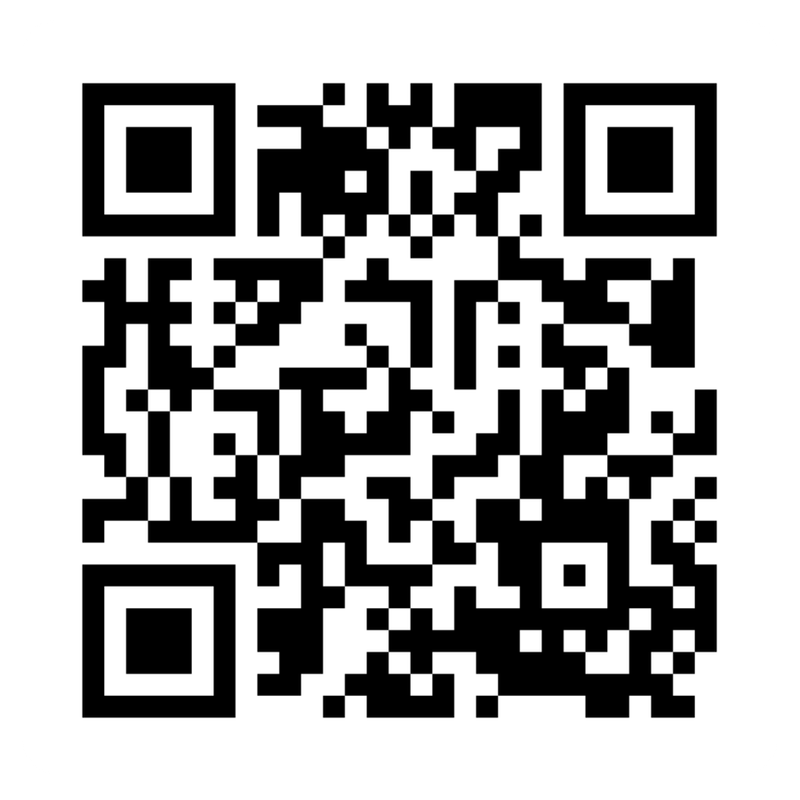
Having trouble scanning the QR code?
We recommend using email or the contact form instead.

Response within 24 hours
Monday to Friday 08:00–17:00, Saturday & Sunday 11:00–16:00
Choose your contact method